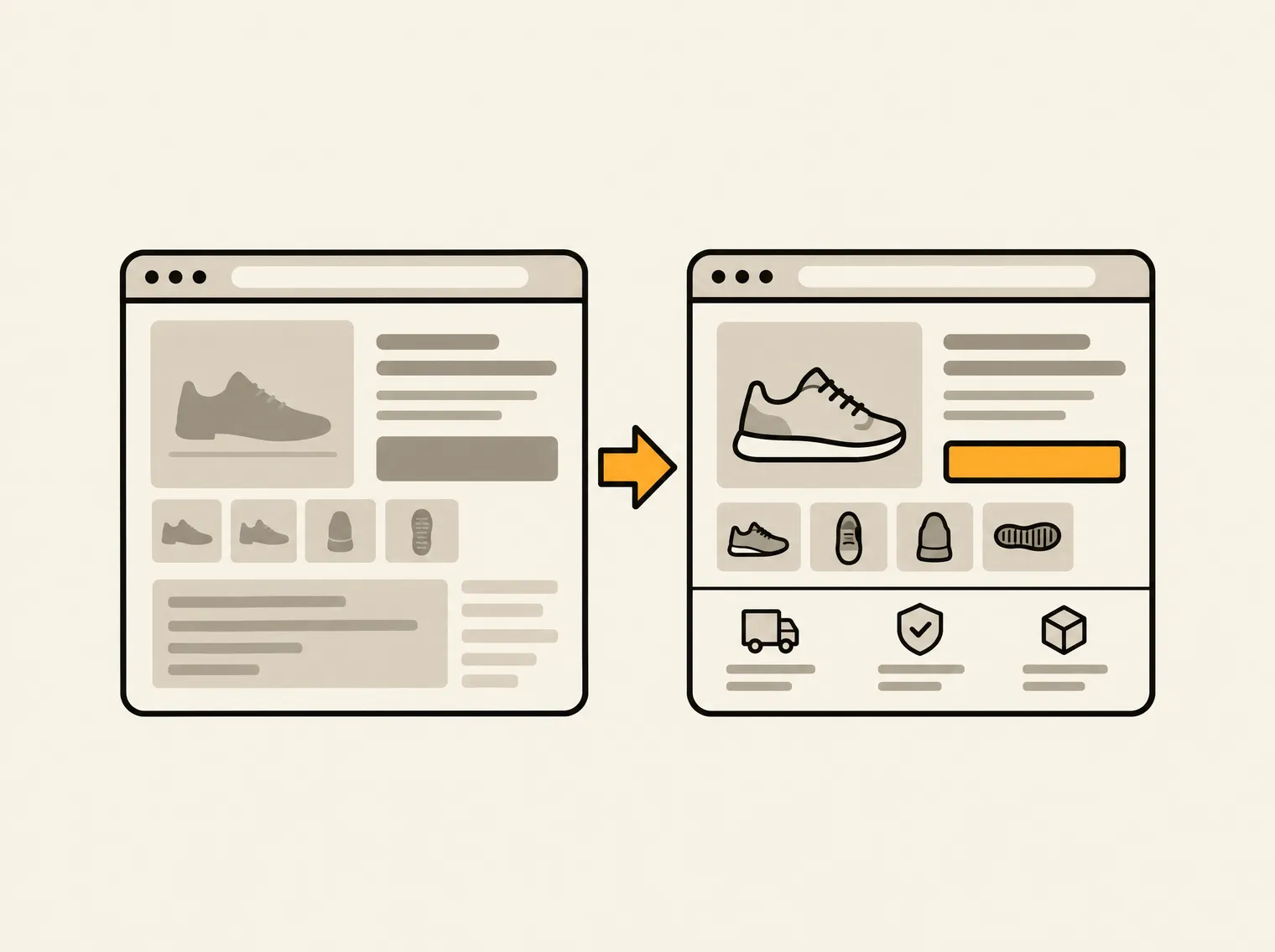
A product page can have polished photography, a competitive price, and plenty of traffic, then still produce a weak conversion rate. That is why product pages fail so often: they are treated as a design asset when they are actually a decision page. The shopper needs enough evidence to buy now, and the store needs enough technical clarity for search engines and assistive technology to understand what is being sold.
When either side breaks, revenue leaks. A hidden shipping policy creates hesitation. An oversized image delays the first meaningful view. A vague variant selector causes mistakes. Missing product schema makes the page less useful in search. None of these issues is dramatic in isolation. Together, they turn a high-intent visit into another exit.
Why Product Pages Fail Before Shoppers Reach Checkout
Most product page problems fall into one of two categories: the shopper cannot answer a buying question, or the page makes answering it harder than necessary. Teams often focus on the visual layer first because it is easy to see. But a page can look premium while burying the shipping window, loading 8 MB of media, or presenting a product description that says almost nothing useful.
The practical question is not, “Does this page look good?” It is, “What could stop a ready-to-buy shopper from choosing this product right now?” That shift changes the audit from subjective feedback into a prioritized operating queue.
The value proposition is unclear above the fold
A shopper arriving from a collection page, Google result, paid ad, or social post may have no context beyond the product name. If the first screen shows a lifestyle image, a clever headline, and a price, it may still fail to explain what makes the item worth buying.
The product title, key benefit, price, variant availability, and purchase action need to work together. This does not mean cramming every claim into the first screen. It means making the primary reason to buy immediately legible. For a supplement, that may be the outcome and serving format. For apparel, it may be fit, fabric, and model sizing. For technical equipment, compatibility or a critical specification may matter more than a brand story.
Generic copy is particularly expensive here. Phrases such as “premium quality” and “made for everyday use” consume space without reducing uncertainty. Specifics sell because they help a shopper compare, validate, and decide.
The page hides the cost of saying yes
Product pages often defer the questions that matter until cart or checkout: delivery timing, return terms, subscription conditions, duties, warranty coverage, or whether a discount applies to the selected variant. That may feel cleaner from a design perspective, but it asks shoppers to take the next step without the information they use to assess risk.
Visibility does not require turning every product page into a legal document. It requires putting the most purchase-relevant policies near the purchase decision, then making details easy to access. A $20 accessory and a $1,500 product have different trust requirements. Higher-consideration products need more evidence and clearer terms, not just a larger buy button.
Variant selection creates friction or errors
Variants are a frequent source of avoidable abandonment. Color swatches may not update images. Size labels may not explain fit. Sold-out combinations may remain selectable until the shopper hits Add to Cart. Bundle components may be ambiguous. For international stores, a shopper may not know whether the displayed price or size standard applies to their market.
The right interaction depends on catalog complexity. A product with two colors and three sizes can be simple. A configurable product with material, dimensions, finish, and compatibility options needs stronger guardrails. Disable unavailable combinations, show the selected option in plain language, and surface the information that changes with a variant: price, stock, image, delivery expectations, or specifications.
The Technical Reasons Product Pages Fail
A product page is also a system of assets, markup, scripts, links, and templates. When teams audit only what is visible in a browser, they miss the issues that reduce discoverability, speed, accessibility, and maintainability across hundreds of SKUs.
Heavy media slows the moment of intent
Large images and autoplay video are common offenders. They can make a product feel more tangible, but they also compete with the information a shopper came to see. If the main image, price, and Add to Cart control take too long to render or shift as scripts load, the page creates friction before the shopper has evaluated the offer.
Media quality is a trade-off, not a mandate to use smaller images everywhere. Detail-oriented products need zoomable imagery. Fashion needs multiple angles. Furniture may benefit from video and room-scale context. The job is to deliver those assets efficiently: size images for their rendered dimensions, use modern formats where supported, defer noncritical media, and prevent layout shifts by reserving space.
Search engines receive incomplete product data
A strong product page can still underperform in organic search when its technical signals are weak. Missing or invalid Product structured data, inconsistent prices, absent availability data, duplicate titles, thin meta descriptions, and broken canonical logic make it harder for search engines to interpret the catalog accurately.
This becomes more serious at scale. One template decision can create a defect across every product in a collection. One migration can leave internal links pointing to discontinued URLs. One app can add duplicate schema or inject scripts that slow every product page.
AI search experiences add another requirement: clear, verifiable content. Pages that plainly state dimensions, ingredients, materials, compatibility, care instructions, shipping constraints, and differentiators give search systems more reliable facts to extract. Vague marketing language gives them little to work with.
Accessibility gaps also create conversion gaps
Missing alt text, low contrast, unlabeled controls, keyboard traps, and inaccessible swatches are often filed as compliance issues. They are also product-page usability issues. If a shopper cannot understand an image, operate a variant selector, or identify an error message, the page has failed its primary job.
Accessibility improvements should be tested in the actual purchase flow, not only checked against a code scanner. Can a keyboard user select a size, open the size guide, add the product to cart, and recover from an unavailable variant? Can a screen reader identify the product price and selected options? Evidence from rendered behavior matters as much as a pass or fail flag.
Fix the Issues That Block Revenue First
The biggest execution mistake is treating every audit finding as equally urgent. A broken product image on a bestseller deserves attention before a minor metadata inconsistency on an archived SKU. A sitewide schema defect may outrank both because it affects the full catalog.
Prioritize product-page work using impact, effort, and scope. Start with issues that affect high-traffic or high-revenue products, block a purchase action, damage trust near the buy box, or repeat across templates. Then move to improvements that compound over time, such as structured data cleanup, image optimization standards, and stronger product-content requirements.
A useful queue usually separates work into five groups:
- Purchase blockers, including broken Add to Cart controls, invalid variant states, and missing prices.
- Trust gaps, such as hidden shipping terms, unclear returns, and unsupported claims.
- Performance failures, including oversized media, unstable layouts, and third-party script weight.
- Discovery defects, such as missing schema, broken internal links, duplicate metadata, and indexation errors.
- Accessibility and content gaps that prevent shoppers and search systems from understanding the offer.
Each task needs an owner, an exact URL or template reference, visual proof, a recommended fix, and a status. Without that operating detail, audit findings become another report that nobody has time to reopen. Horavo is built around that distinction: persistent findings become assigned work, so resolved issues stay resolved and recurring audits expose what changed.
Build a Product Page Standard, Not a One-Time Cleanup
One-off fixes improve individual pages. Standards improve the catalog. Define what every product page must include based on product type: required media, benefit statements, specifications, shipping visibility, return language, size or compatibility guidance, review treatment, schema fields, and accessibility checks.
Not every SKU needs identical content density. A simple consumable does not need the same technical detail as a camera lens. But every page needs a clear answer to the questions that determine purchase confidence. Templates should make those answers easy to publish, not force merchandisers to improvise them in rich text fields.
Review performance after changes, but do not rely on conversion rate alone. Traffic mix, seasonality, inventory, pricing, and promotions can all distort the result. Watch add-to-cart rate, variant errors, page speed, organic impressions, engagement with delivery and size information, and support tickets tied to product confusion. The goal is a storefront that produces fewer unanswered questions.
The most useful next step is simple: open your top ten product pages and try to buy from each one as a first-time visitor. Record every moment where you have to search, guess, wait, or leave the page to find an answer. Those are not minor UX notes. They are the next items on the revenue queue.